Skip to content
Prescription Pad

First month free · no card needed

Prescriptions in under a minute.

Write the prescription, print it on your letterhead and keep every patient's history a tap away - from the patient walking in to the follow-up date. On your phone or tablet.

  • ✓ Works offline
  • ✓ Data in your Google account
  • ✓ Reception over Wi-Fi
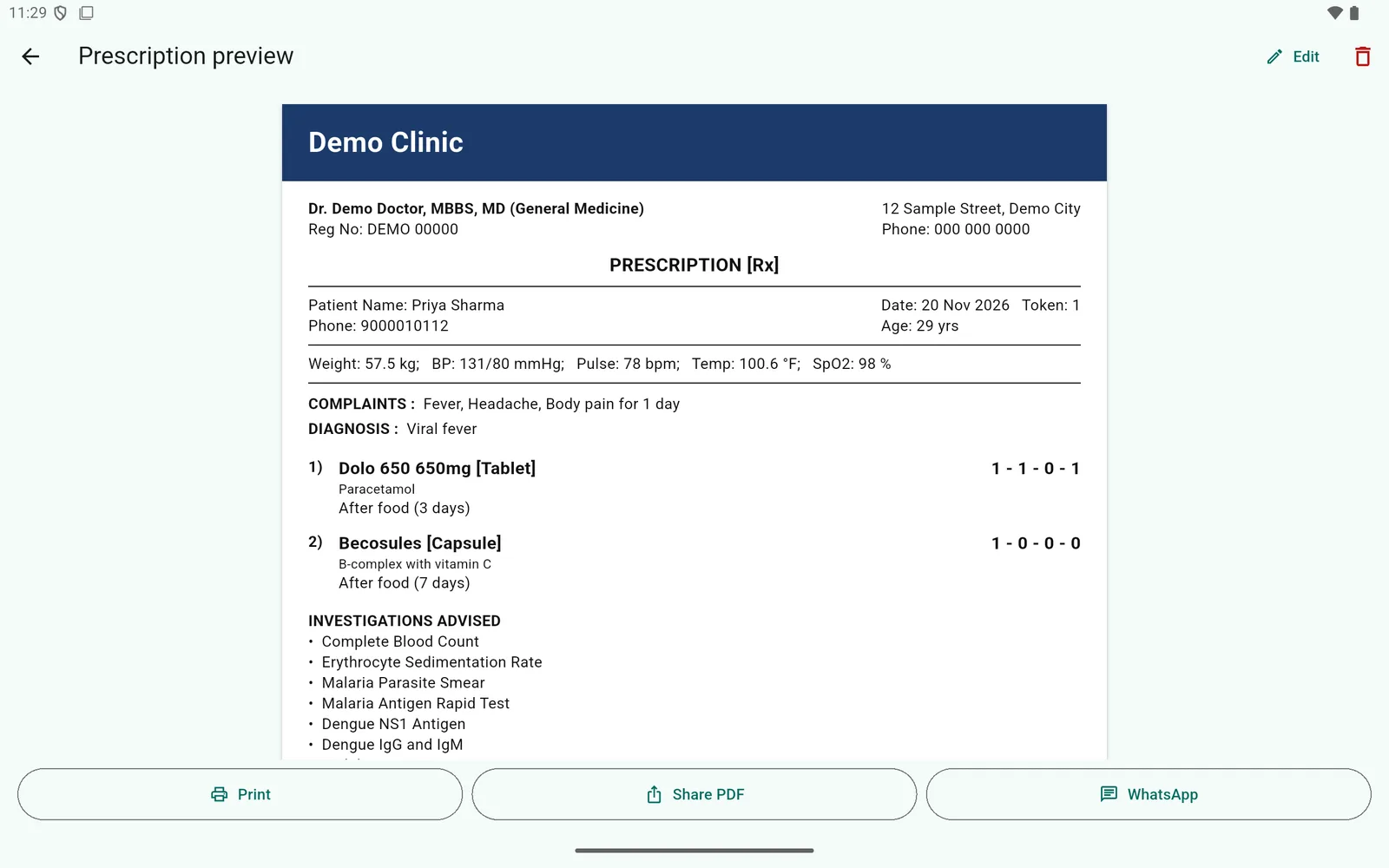
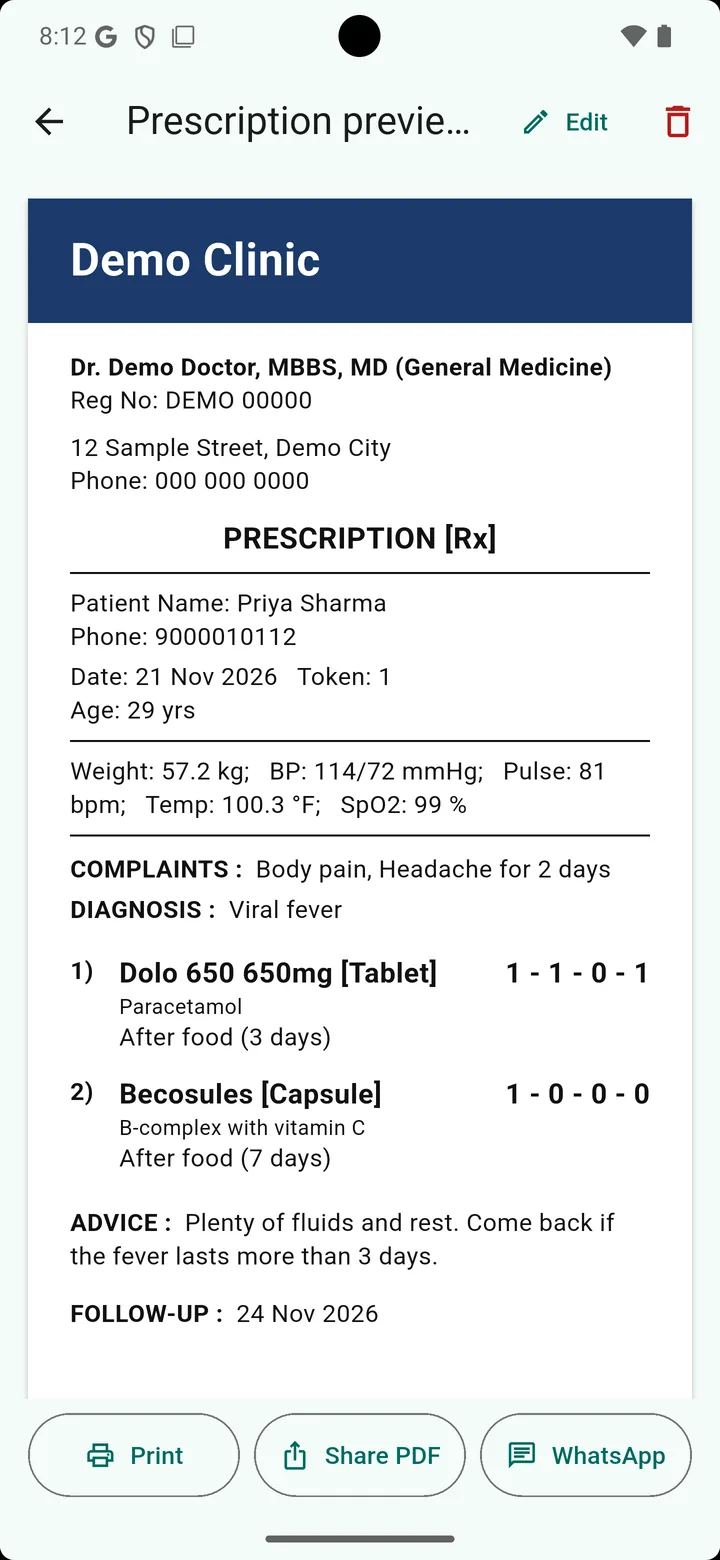
Prescription preview on the clinic letterhead
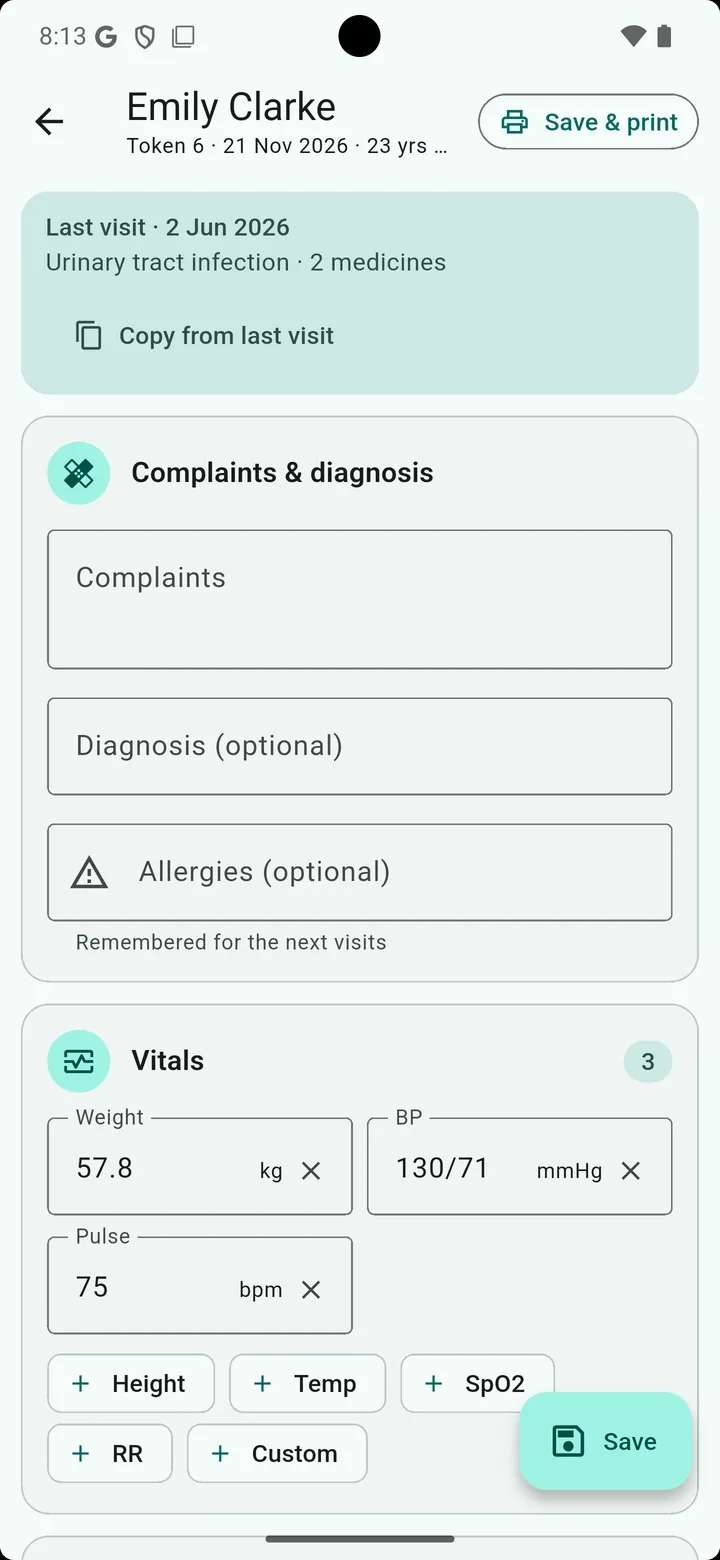
Writing a prescription

Features

Everything a clinic needs - nothing it doesn't

Made for doctors and their reception: from the token to the printed prescription and the follow-up.

Prescriptions that match how you write

Complaints, diagnosis, vitals, medicines, investigations, advice and follow-up on one screen.

  • Dose in four boxes: Morning - Afternoon - Evening - Night, with half doses
  • Before food, after food, with food or SOS; days and instructions per medicine
  • Allergies carried to every visit; a matching medicine is pointed out
  • Copy from last visit for regular patients
Medicines and lab tests as you type

The medicine list of your country - generic names and the brands sold there.

  • Search by brand or generic name; the ones you prescribed before come first
  • A medicine not in the list is added to your own list with one tick
  • 239 lab tests found by any name (CBC, HbA1c, TSH) and 15 standard profiles
  • Your own medicine templates and investigation profiles, or import them from CSV

Your letterhead, every time

A clean A4 prescription with your clinic, qualification and registration number.

  • Print with the header and footer, or only the prescription on your printed paper
  • Share the PDF, or send it to the patient on WhatsApp
  • Reprint or edit any completed visit

Patient queue and reception

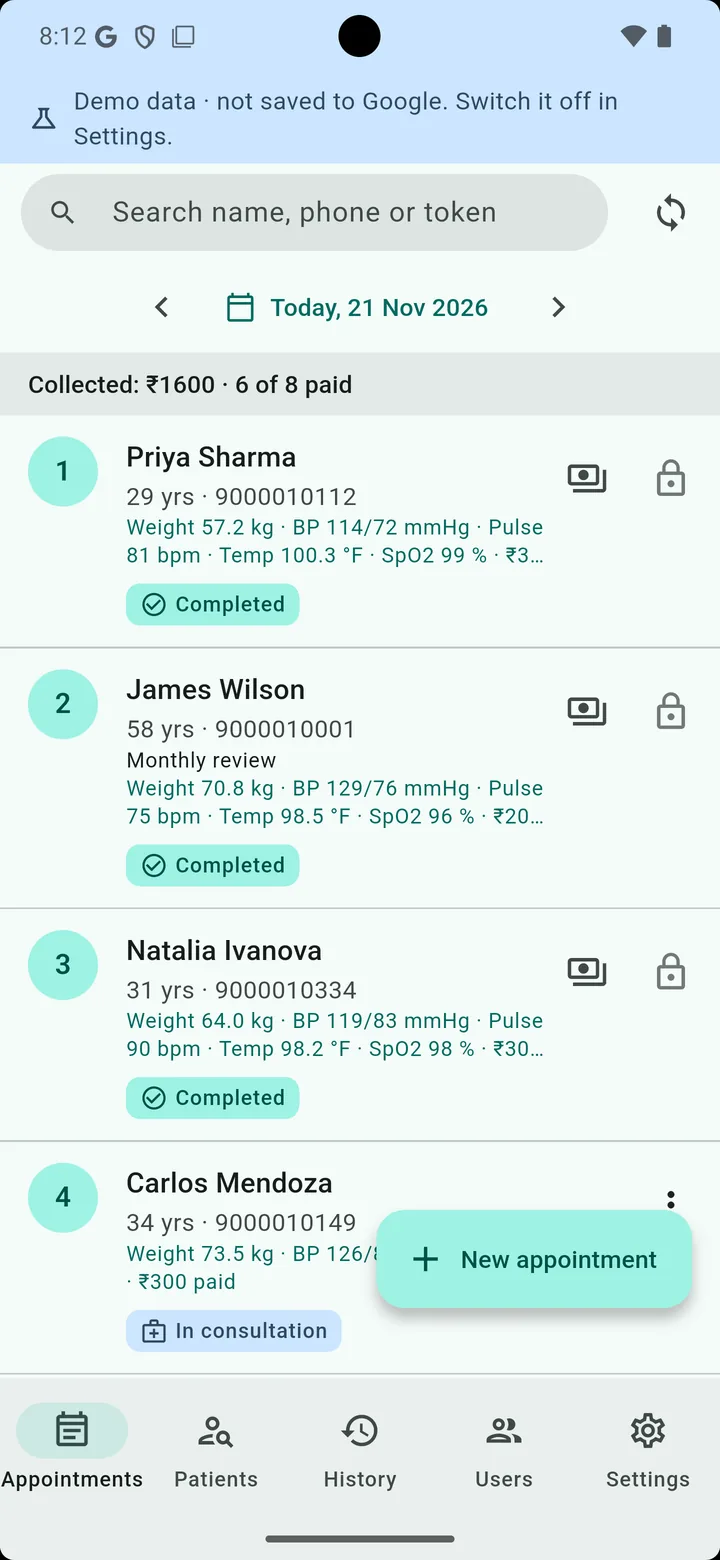
Today's appointments with token numbers: waiting, in consultation, done.

  • Reception records vitals and the fee; you see them in the prescription
  • Add a reception phone or tablet over the clinic Wi-Fi with a QR code
  • Staff sign in with their own username and see only what you allow
  • The day's fee collection at a glance

Patients found instantly

Search by name or phone number as you type.

  • Every visit of a patient - complaints, vitals, prescription - in one place
  • History of all prescriptions by day
  • New patient? Name and phone, and you are writing the prescription

Your data, in your Google account

Patients and prescriptions are kept in a Google Sheet and Drive folder in your account - not on our servers.

  • Stored encrypted on the device; works without internet and syncs later
  • A new phone? Sign in, and the clinic comes back
  • Delete everything, any time, from Settings

Screens

Clear on a phone, roomy on a tablet

Large text and big buttons for a busy OPD. Shown here with the demo clinic.

  • Prescription form with complaints, diagnosis and vitals

    Write the prescription

  • Prescription preview on the clinic letterhead

    Your letterhead, print or WhatsApp

  • Today's appointments with token numbers and fees

    Today's queue with tokens

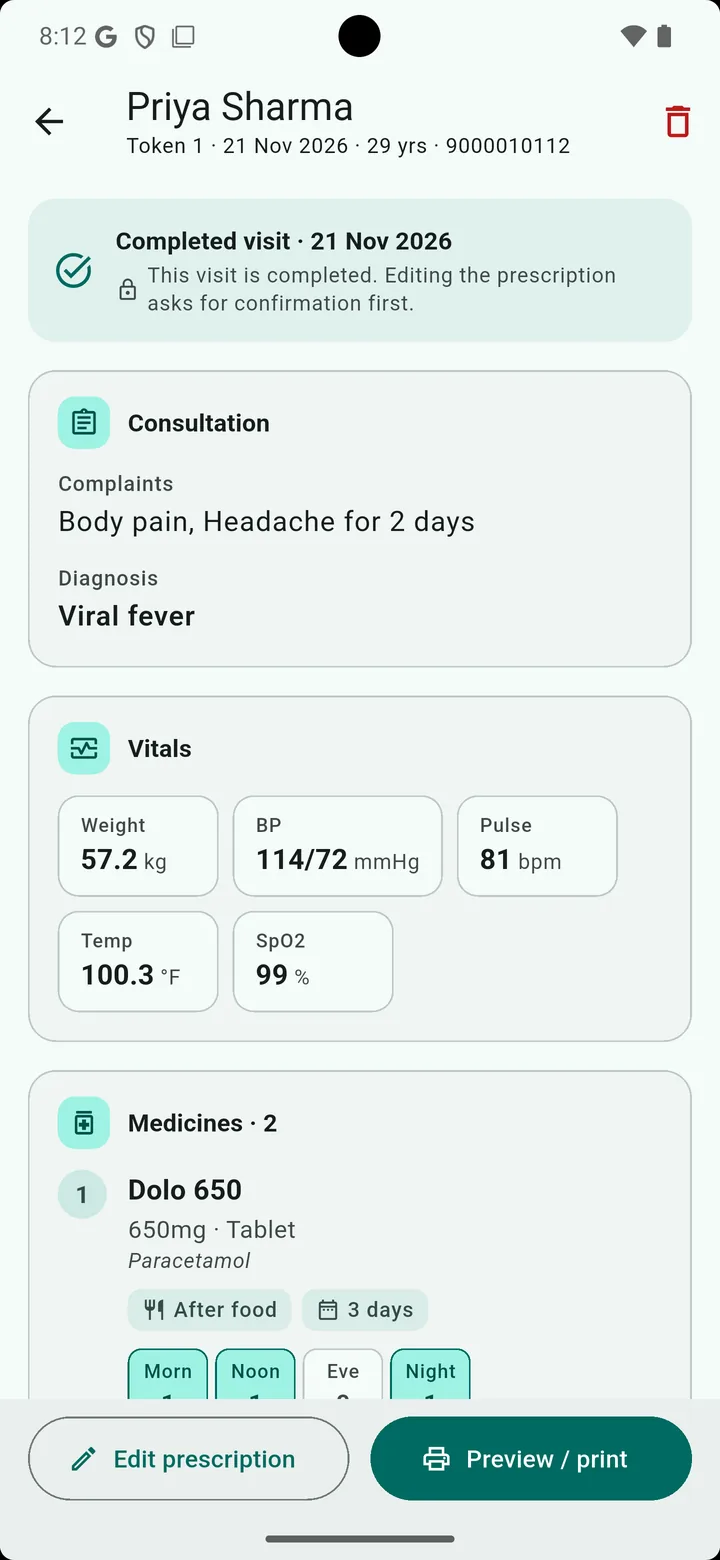
  • A completed visit with vitals and medicines

    Every visit, one tap away

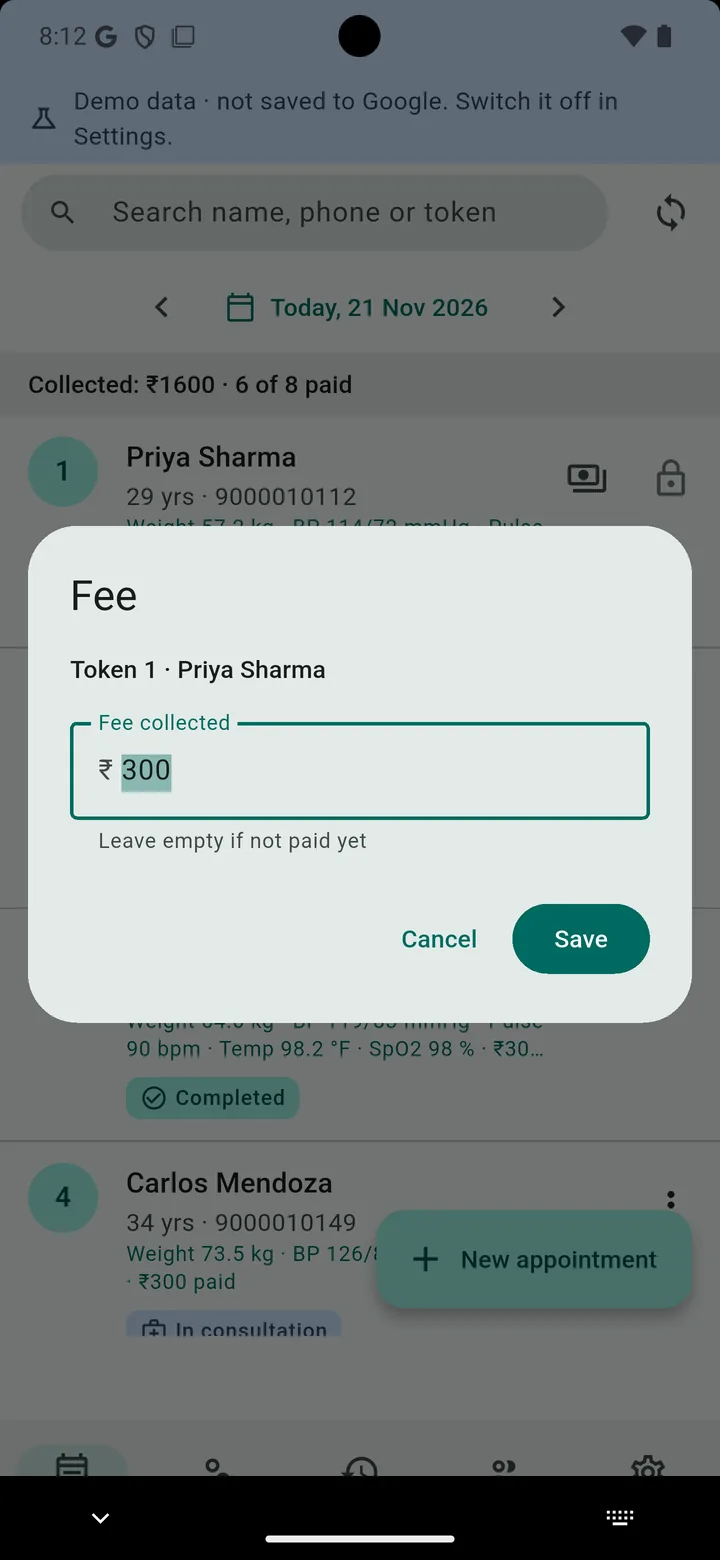
  • Entering the fee collected for a visit

    Fees at the reception

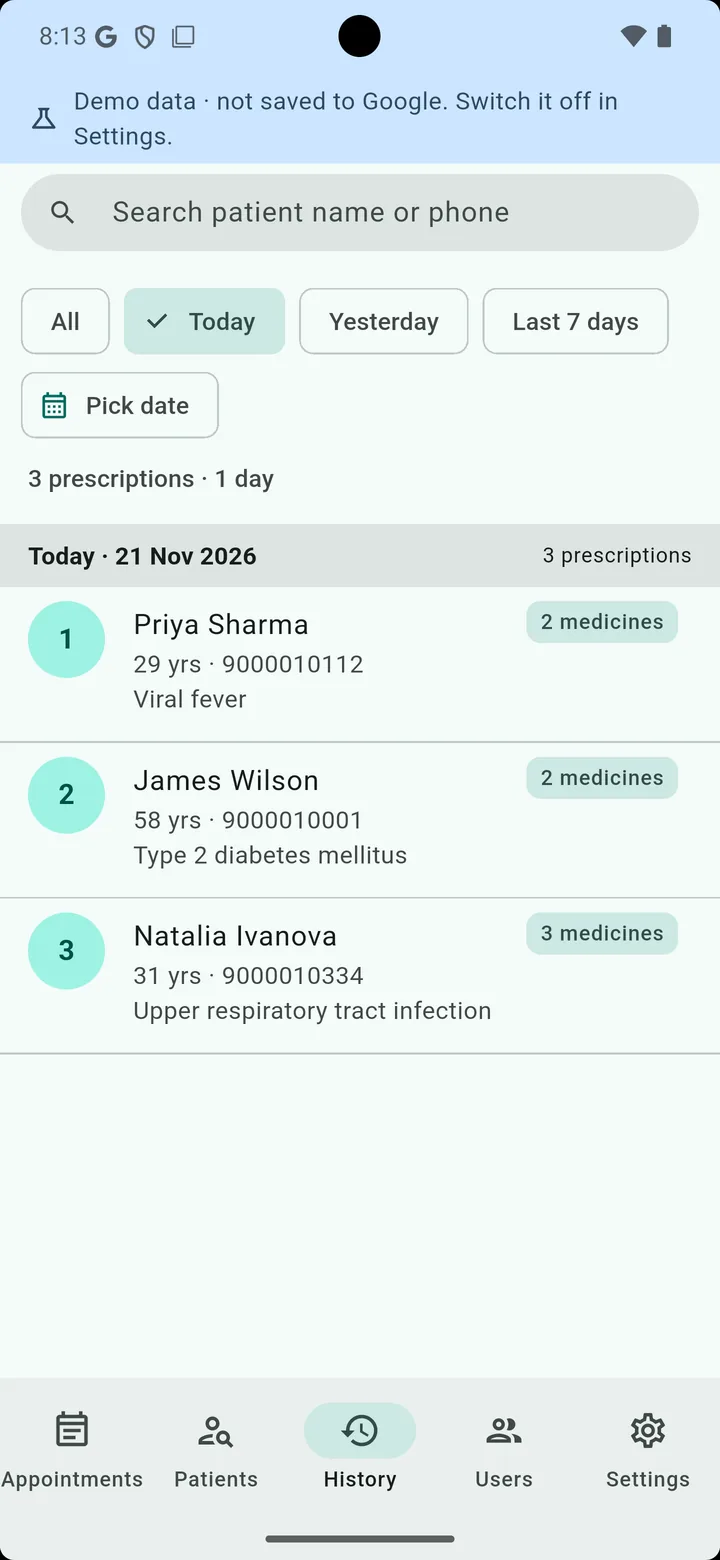
  • Prescription history grouped by day

    History by day

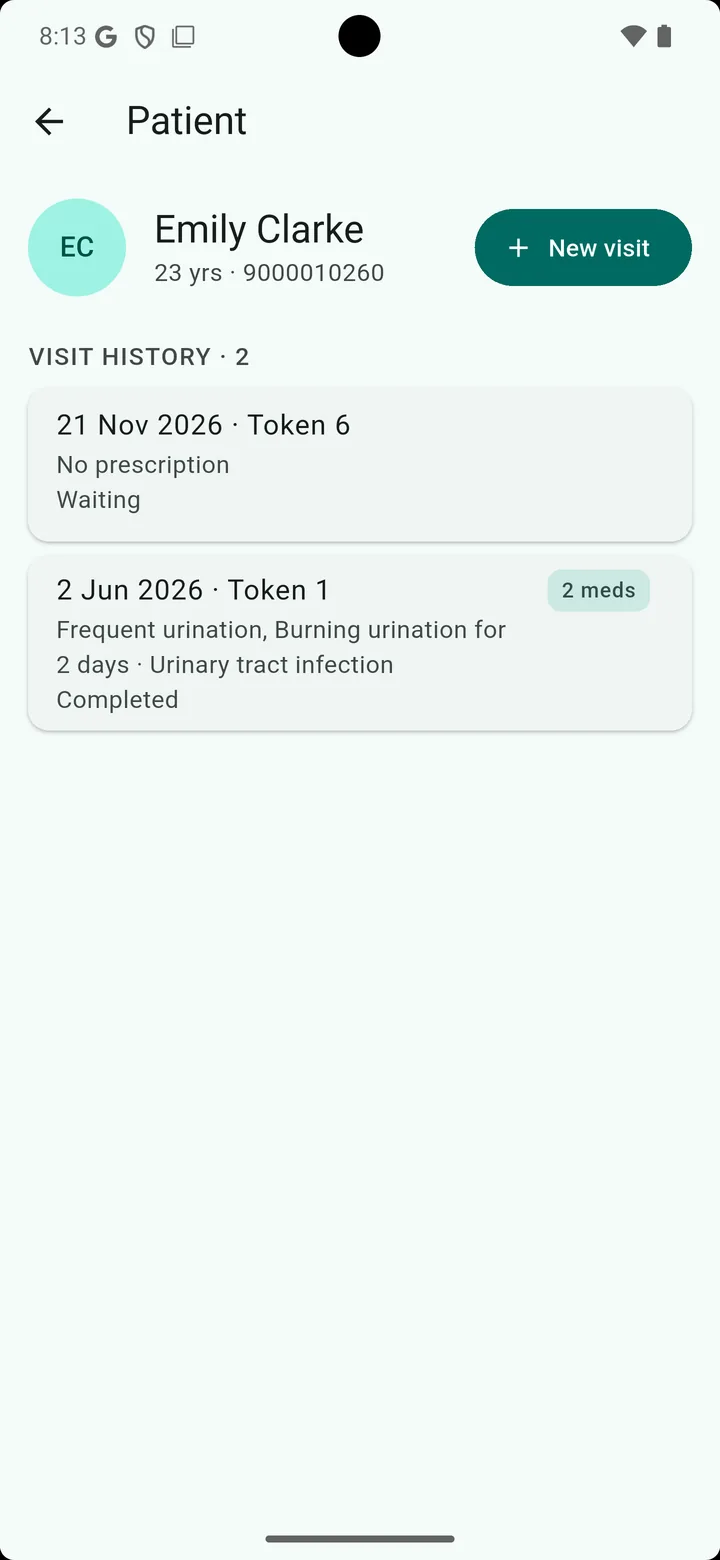
  • A patient's visit history

    Patient history

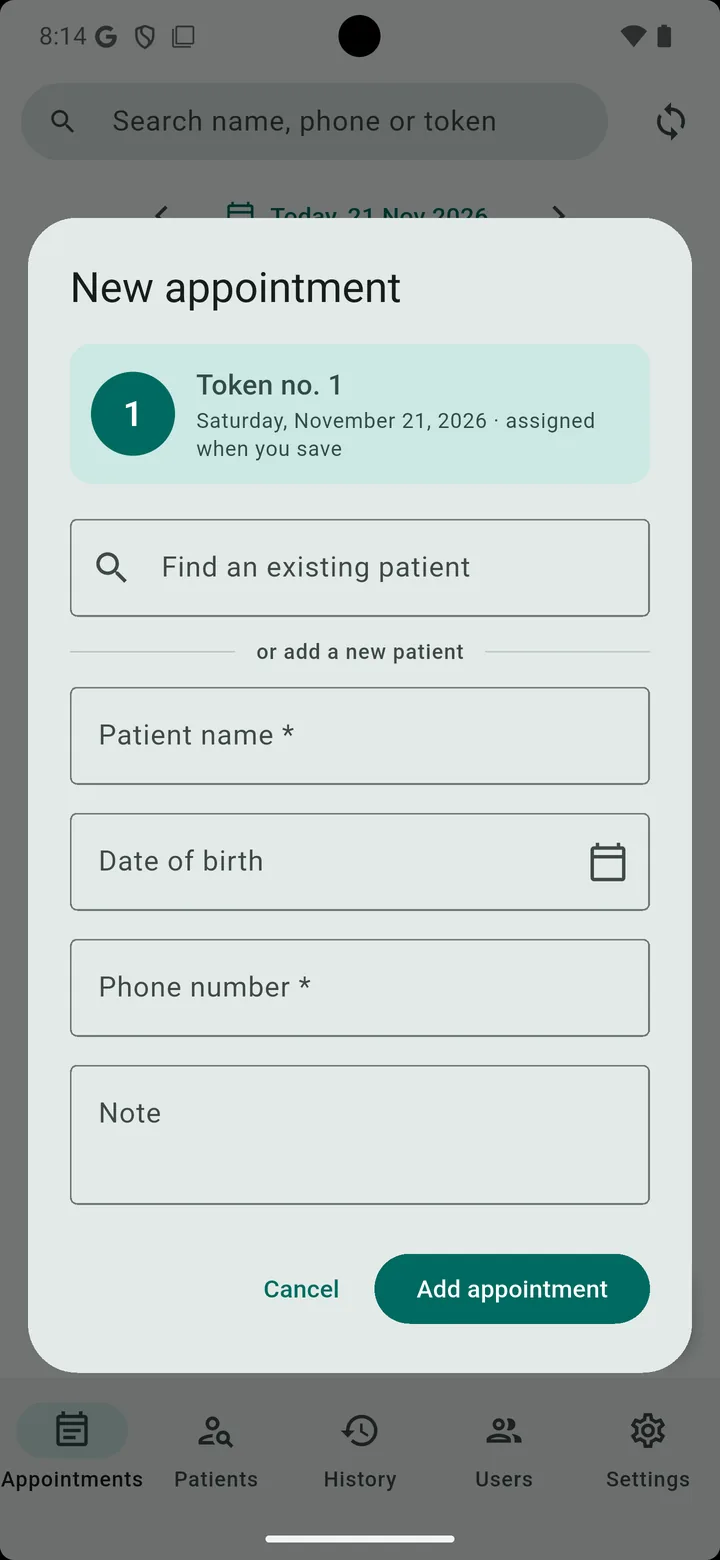
  • Adding a new appointment with an automatic token

    Book with a token

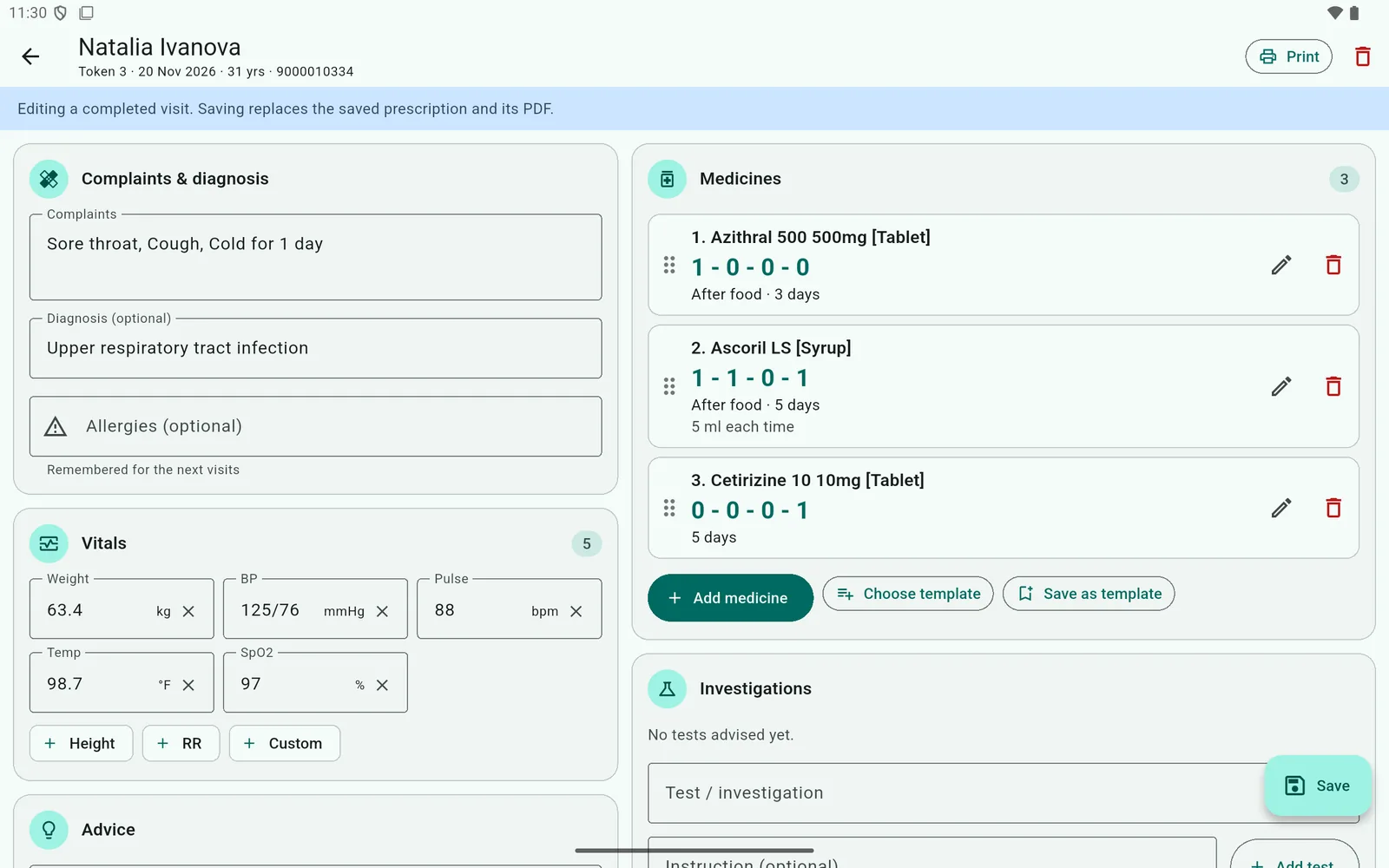
Prescription form on a tablet, in two columns
Two columns on a tablet
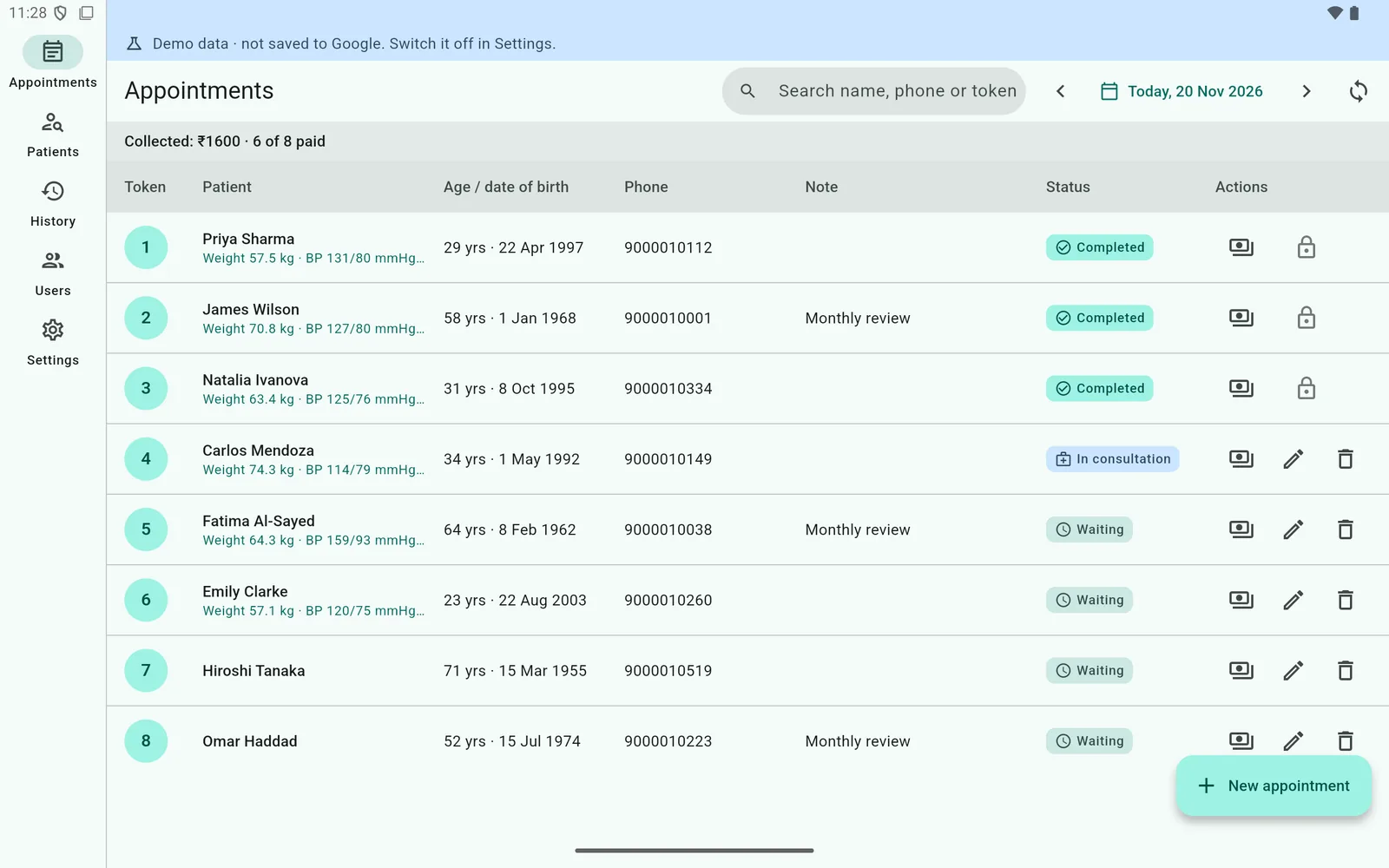
Appointments as a table on a tablet
The whole day at a glance
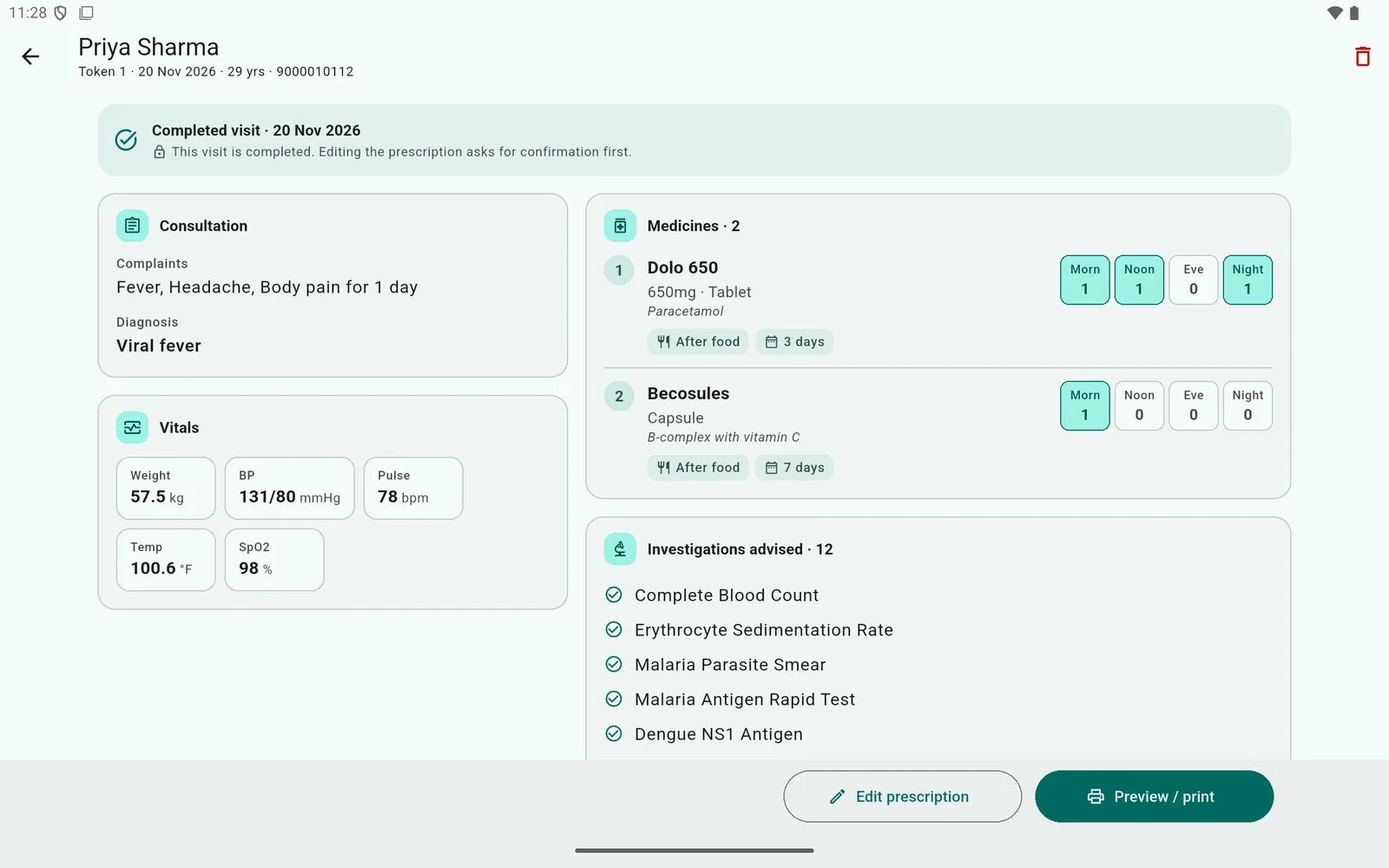
A completed visit on a tablet
Completed visit
Prescription preview on a tablet
Preview before printing

Getting started

Ready in a few minutes

  1. 1

    Sign in with Google

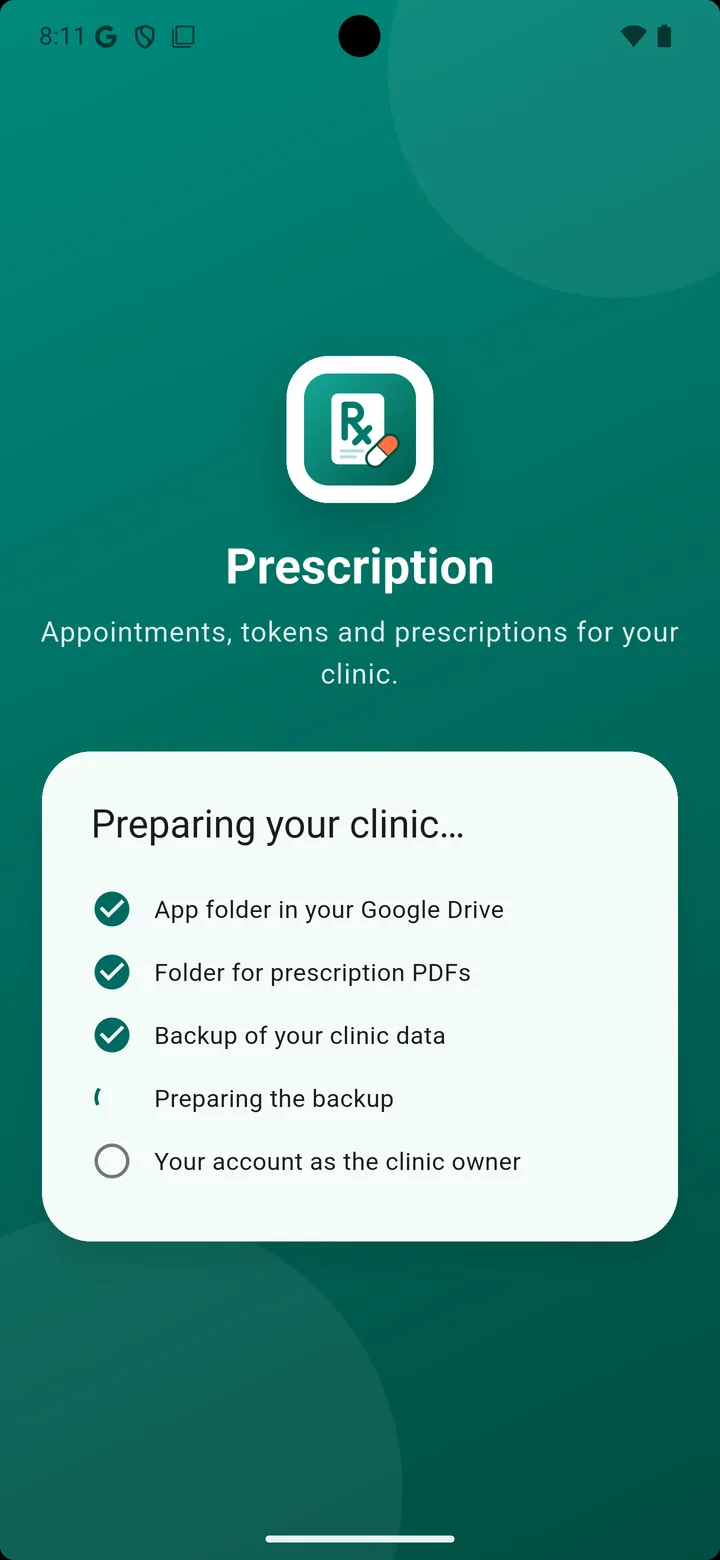
    The app creates a folder in your Google Drive for the clinic's data and PDFs.

  2. 2

    Set up in three steps

    Clinic details, how you print, your country - the medicine and lab lists download by themselves.

  3. 3

    Write the first prescription

    Or open the demo clinic first to see how it works, kept apart from your own data.

Setting up the clinic folder in Google Drive

Your data

Your patients' data stays with you

Sign in with the clinic's Google account and the app keeps everything in a folder in your Google Drive. We never see your patients.

In your Google account

A Google Sheet and Drive folder that belong to you - not to us.

Encrypted on the device

The clinic database on the phone or tablet is encrypted.

Works offline

Keep seeing patients without internet; it syncs later.

Yours to delete

Settings → Delete all data removes it from Drive and the device.

Read the privacy policy

Pricing

Start with a free month

Everything included from day one. No card needed to start.

First month

Free

Everything included, no card

Monthly

Monthly plan

Billed every month, cancel any time

Yearly

Yearly plan

Billed once a year - the better deal

  • Unlimited patients and prescriptions
  • Print on your clinic letterhead
  • Medicine and lab lists of your country
  • Reception devices over clinic Wi-Fi
  • Data synced to your Google account

One subscription per clinic, on its main device. Reception devices on the clinic Wi-Fi need none of their own. Prices for your country are shown in Google Play and in the app; subscriptions renew until cancelled in Google Play.

FAQ

Questions doctors ask

Who is it for?+

Doctors in a clinic or practice, and their reception staff. It is for registered medical practitioners; it helps you write and keep prescriptions but does not diagnose or suggest treatment.

Where is my patient data stored?+

In your own Google account: a Google Sheet and a Drive folder that the app creates for the clinic. On the phone or tablet it is stored encrypted. We do not keep your patients' data on our servers.

Does it work without internet?+

Yes. Appointments, prescriptions and printing work offline. Changes sync to your Google account when you are back online.

How much does it cost?+

The first month is free, with everything included and no card needed. Then a monthly or yearly subscription through Google Play, for the clinic's main device. Reception devices on the clinic Wi-Fi need no subscription of their own. Prices are shown in the app and in Google Play.

Can my receptionist use it?+

Yes. Connect the reception phone or tablet over the clinic Wi-Fi by scanning a QR code. Staff sign in with their own username and see only what you allow: appointments, vitals or fees.

Which medicines are in the list?+

Generic medicines for every country, and the brands sold in your country where a list is available. Medicines not in the list are added to your own list as you prescribe them.

Can I print on my own letterhead paper?+

Yes. Print the full page with your clinic details, or only the prescription, placed to fit your printed letterhead.

How do I delete my data?+

In the app: Settings → Delete all data. It deletes the clinic's Google Sheet and PDFs in your Drive and everything on the device. See the Delete your data page for details.

Your next prescription, in under a minute

Try it free for a month - with the demo clinic, or straight away with your own.